Godot C# Pooled Audio Manager
This easy to use audio manager allows you to play sound effects from any C# script in Godot!
AudioManager.Play(audioStream);
Features:
- Round-robin pooled AudioStreamPlayers for low overhead
- Playing randomly from an array of AudioStreams
- Randomizing pitch and volume
- Playing sounds on specified buses
- Per-bus AudioStreamPlayer pool size configuration
This system is very flexible and useful for easily setting off one shot sound effects, like UI sounds, player noises, interaction sounds, and so much more.
What's in the box?
- AudioManager.cs - The singleton used to interface with the audio system
- AudioManagerConfig.cs - The resource to configure the audio system (more on that later)
- AudioBusConfig.cs - Internal resource for bus configuration
- AudioPool.cs -Internal manager for audio pools
More Examples:
To play a sound on a specific bus, use
AudioManager.Play(audioStream, busName);
And if you want to specify volume and pitch, simply call
AudioManager.Play(audioStream, busName, volume, pitch);
To play a sound effect with a random pitch and volume, you can use any of the following
AudioManager.PlayRandomized(audioStream);
AudioManager.PlayRandomized(audioStreamArray);
AudioManager.PlayRandomized(audioStreamArray, minVolume, maxVolume, minPitch, maxPitch);
AudioManager.PlayRandomized(audioStream, busName);
AudioManager.PlayRandomized(audioStreamArray, busName);
AudioManager.PlayRandomized(audioStreamArray, busName, minVolume, maxVolume, minPitch, maxPitch);
Configuration:
Simply drag the audio manager folder into your Godot project, and press build. If this is a newly created project, you'll first have to click Project>Tools>C#>Create C# Solution.
Next, create the AudioManager autoload in Project>Project Settings>Globals, pressing the folder icon and selecting AudioManager.cs.
You're ready to go!
Bus configuration
To configure the audioPools for each bus, simply create an AudioManagerConfig resource named AudioManagerConfig.tres. You can put this file anywhere.
Inside this config file, you'll find the default configuration for the Master bus with an audio pool size of 16. You can add more buses with custom audio pool sizes.
This audio manager tries hard to never fail, so unconfigured audio buses will still get played on, just with a default pool size of 16 created on playback. If you try to play a sound effect on a bus that doesn't exist, the audio manager will create the bus, but serve a warning, because you should probably have all your buses created before runtime.
Example Usage:
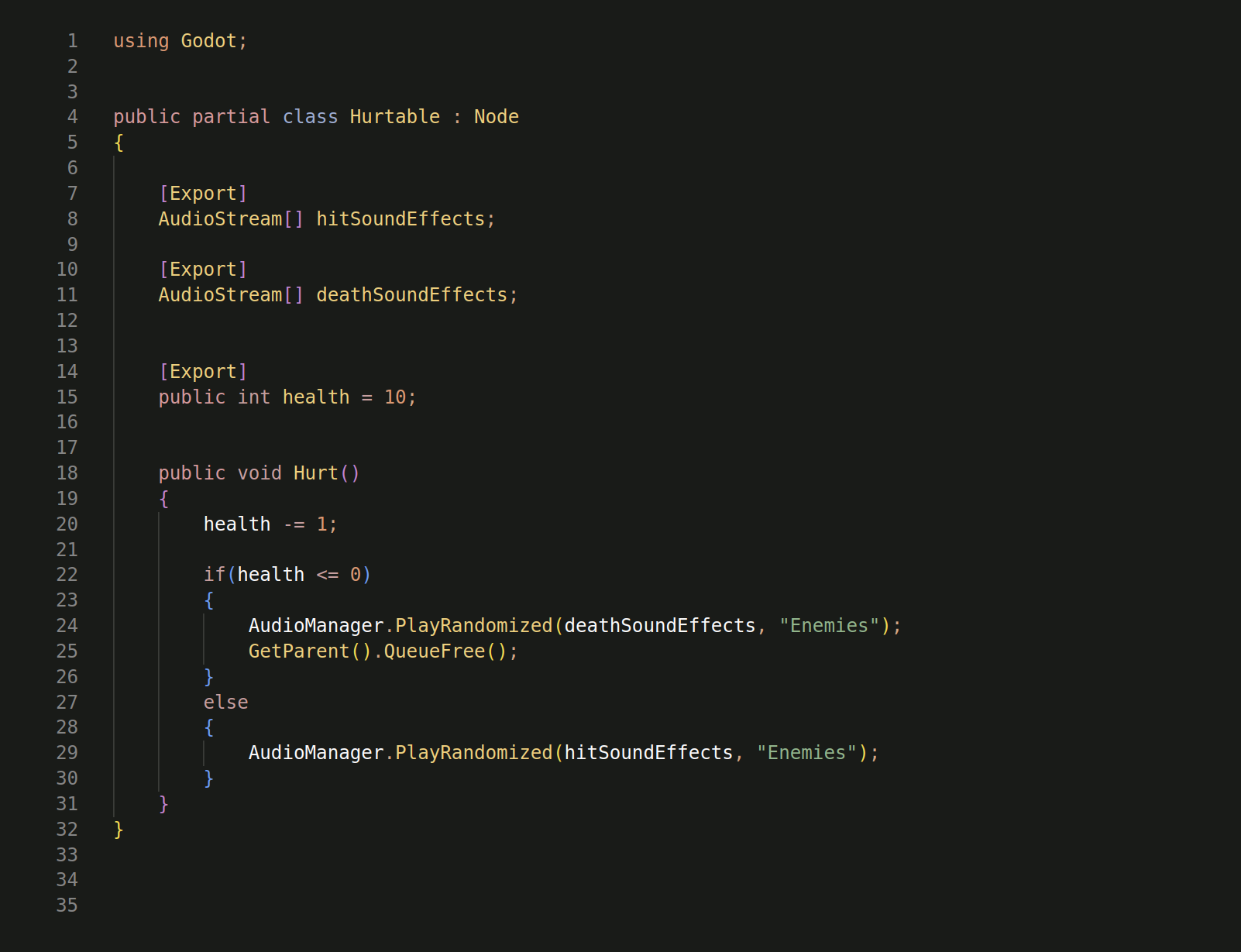
This system is entirely free to use in any project once purchased, and credit is not required. Just please don't resell or publicly distribute the assets. Thank you!
Purchase
In order to download this code pack you must purchase it at or above the minimum price of $2.50 USD. You will get access to the following files:
Leave a comment
Log in with itch.io to leave a comment.